
BACKGROUND
In construction, the details for subcontractors, suppliers, and other vital partners change frequently. Outdated information can lead to missed communications, project delays, and inefficiencies. ConstructionOnline provides a centralized directory for managing your contacts and companies, ensuring that your team always has access to the most current information. Regularly updating these details within the platform is crucial for maintaining strong relationships, facilitating timely interactions, and keeping your projects on track. ConstructionOnline allows for quick adjustments to details like names, email addresses, and phone numbers directly within the contact's associated company.
HOW TO EDIT COMPANY CONTACT DETAILS
- From the "Companies" portion of your Company Directory, hover over the desired Company and press the blue "Details>" button.
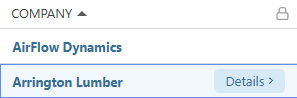
- This will open the Company's extension blade on the right side of your screen.
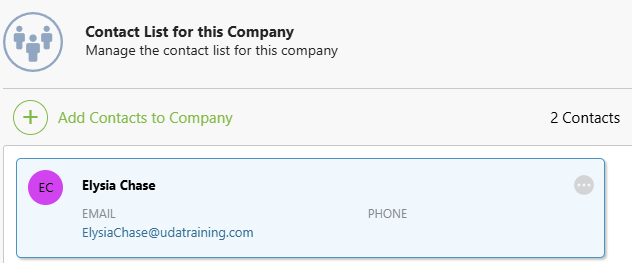
- Navigate to the "Contacts" tab.
- Hover over the desired Contact and click the gray 3-dot Action Menu
 .
. 
- Choose the "Edit Company Contact Details" option from the dropdown menu.
- The "Edit Company Contact Details" window will open, where you can make the desired changes to the Contact -
- First Name
- Lase Name
- Phone
- Job Title
- Mobile
- Primary Company Contact
- Click the blue "Save" button to finalize the changes to the Contact's Details.
- The changes are applied to the Contact's Private Details.
ADDITIONAL INFORMATION
- Subscription Level: The Company Directory is available for all ConstructionOnline subscriptions.
- Permissions: Admin Users and Company Users can edit Company Contact Details.
- CO™ Mobile App: Company Users can edit Company Contact Details within the Companies feature via the ConstructionOnline Mobile App.
HAVE MORE QUESTIONS?
- Frequently asked questions (FAQ) about Companies can be found in the article FAQ: Companies.
- If you need additional assistance, chat with a ConstructionOnline Specialist by clicking the orange Chat icon in the bottom left corner or visit the UDA Support Page for more options.