
BACKGROUND
Maintaining accurate company contact information is essential for efficient construction management. When individuals leave a company, their continued association in your directory can lead to errors and delays. Removing contacts from companies within ConstructionOnline ensures that your company records remain up-to-date, reflecting current personnel and streamlining communication with active stakeholders.
HOW TO REMOVE A CONTACT FROM A COMPANY
- From the "Companies" portion of your Company Directory, hover over the desired Company and press the blue "Details>" button.
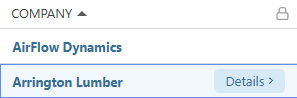
- This will open the Company's extension blade on the right side of your screen.
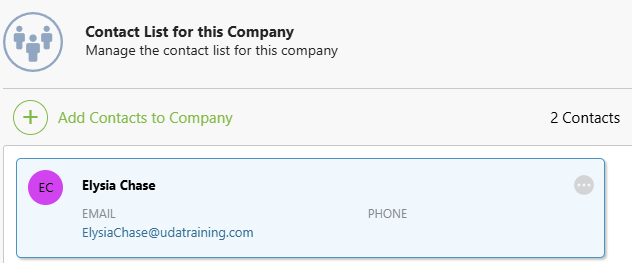
- Navigate to the "Contacts" tab.

- Hover over the desired Contact and click the gray 3-dot Action Menu
 .
. 
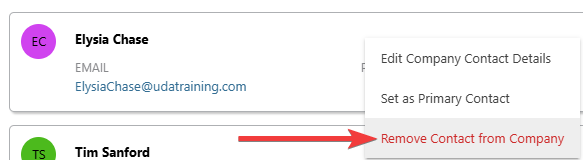
- Choose the red "Remove Contact from Company" option from the dropdown menu.
- ConstructionOnline will flash a message confirming the successful removal of the Contact.
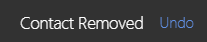
- ConstructionOnline will flash a message confirming the successful removal of the Contact.
- Hit the blue "Save" button to finalize the removal of the desired Contact from the Company.
🗒️ Note: Removing a Contact from a Company will not automatically update the "Company" field within their Contact Details (vice versa).
ADDITIONAL INFORMATION
- Subscription Level: The Company Directory is available for all ConstructionOnline subscriptions.
- Permissions: Admin Users and Company Users can manage Contacts within a Company.
- CO™ Mobile App: Company Users can remove a Contact from a Company via the ConstructionOnline Mobile App.
HAVE MORE QUESTIONS?
- Frequently asked questions (FAQ) about Companies can be found in the article FAQ: Companies.
- If you need additional assistance, chat with a ConstructionOnline Specialist by clicking the orange Chat icon in the bottom left corner or visit the UDA Support Page for more options.