
Construction companies often face significant challenges navigating the complexities of permit management, which can involve a tangled web of spreadsheets, scattered documents, and the serious risk of non-compliance.
ConstructionOnline's OnGuard Permit Tracking provides a comprehensive and streamlined solution to construction permit management through its robust, centralized "Project Permits" List. This powerful feature organizes all company permit information within the platform, eliminating the inefficiencies of cumbersome spreadsheets and paper-based systems. Securely creating and storing all necessary permits within ConstructionOnline™ directly mitigates potential company liability and project delays, ensuring consistent compliance with building codes, regulations, and zoning ordinances.
KEY BENEFITS & FUNCTIONALITIES
- Centralized Document Storage
- OnGuard Permit Tracking eliminates the chaos of scattered spreadsheets, shared drives, and overflowing filing cabinets by housing all permits and their important details in one easily accessible digital hub. This saves time and reduces stress by providing immediate access to crucial permit information throughout the project lifecycle and even after completion!
- Streamlined Permit Lifecycle Management
- From initial request to archiving, OnGuard Permit Tracking transforms the complexities of construction permit management into an efficient process. ConstructionOnline's customizable fields (Custom Values) ensure you capture the details your company needs to track every permit. Inline editing, duplicating, and bulk selection capabilities within the "Project Permits" List further simplify management, accelerating workflows and reducing errors.
- Enhanced Visibility & Control
- Achieve comprehensive oversight of your company's permits using the Dynamic Table functionality of the "Project Permits" List. Effortlessly filter, sort, and search by key permit criteria, including permit type, responsible contact, and associated project. Instantly find the information you need and tailor your view to focus on the permit data most relevant to your role.
- Automated Alerts
-
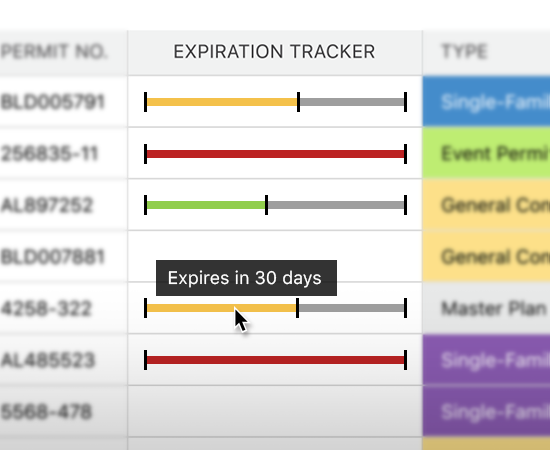
- OnGuard Permit Tracking's permit reminders eliminate the need for manual tracking of crucial permit deadlines. Users can configure email templates and schedule automated reminders to provide timely updates to all necessary individuals. This proactive approach reduces the likelihood of compliance issues, potential fines, and project delays. Personal notifications for construction permit modifications can also be set to ensure users are aware of any changes, fostering better communication and preventing misunderstandings.
In essence, ConstructionOnline's OnGuard Permit Tracking empowers construction companies to move beyond the chaos of traditional methods and:
- Streamline administrative workflows, allowing teams to concentrate on core project execution.
- Boost project efficiency, resulting in faster and more predictable project timelines.
- Secure data integrity, providing a reliable foundation for confident decision-making.
- Mitigate compliance risks proactively, protecting your company from costly penalties and reputational damage.
- Foster seamless team communication, leading to improved collaboration and project success.
ADDITIONAL INFORMATION
- Subscription Level: ConstructionOnline's OnGuard Permit Tracking feature is available for companies with current ConstructionOnline subscriptions at Team, Business, and Enterprise levels.
- Permit Tracking is also available as a Per-Company Add-On for all other plans.
- CO™ Mobile App: The Permit Tracking feature is available via the ConstructionOnline Mobile App.
HAVE MORE QUESTIONS?
- Frequently asked questions (FAQ) about Permit Tracking can be found in the article FAQ: Permit Tracking.
- If you need additional assistance, chat with a ConstructionOnline Specialist by clicking the orange Chat icon in the bottom left corner or visit the UDA Support Page for more options.