
BACKGROUND
A part of the industry's leading construction management software, ConstructionOnline™ offers powerful solutions for building, tracking, managing, & sharing new home selections options. A vital part of the management of construction selection sheets is the ability to remove choices that should no longer be presented to the client. ConstructionOnline™ offers the ability to remove Client Selection Categories, Selections, and/or individual Selection Choices with ease to avoid miscommunication & project delays while ensuring client satisfaction.
STEPS TO DELETE A CHOICE WITHIN A SELECTION
- Navigate to the desired Project via the Left Sidebar.
- Select the Financials tab and choose the Client Selections category.
- From the Selection Details pane, right-click on the Selection Choice you wish to remove and choose "Delete Choice" from the dropdown menu.
- A warning message will appear asking you to confirm you would like to delete the Selection Choice.
- To proceed, click the red "Delete" button. To cancel this action, click "Cancel."
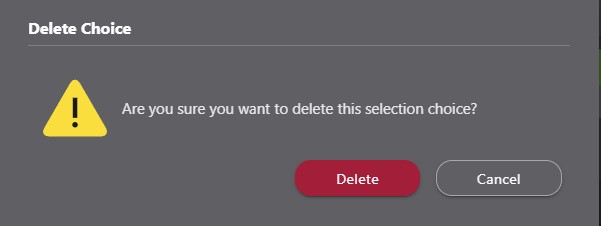
- To proceed, click the red "Delete" button. To cancel this action, click "Cancel."
Important information regarding deleting Selection Choices:
- Deleting a Selection Choice only removes the individual Choice from within the respective Category and Selection.
- To delete Client Selections Categories (and their respective Selections & Selection Choices) or Selections (and their respective Selection Choices), follow the steps detailed within the linked articles.
- Client Selections Categories, Selections, and Selection Choices cannot be recovered once deleted.
ADDITIONAL INFORMATION
- Permissions: ConstructionOnline™ Company Users who have Client Selections permissions set to “Can Create, Edit, & Delete” can delete Client Selections.
- ClientLink™ and TeamLink™ Users cannot delete Client Selections; however depending upon the ConstructionOnline™ Company's ClientLink™ / TeamLink™ Settings, they may have permission to view, approve, and/or create Selection Choices.
- Mobile App: Client Selections Categories, Selections, & Selection Choices can be deleted from the ConstructionOnline™ Mobile App.
HAVE MORE QUESTIONS?
- Frequently asked questions (FAQ) about Client Selections can be found in the article FAQ: Client Selections.
- If you need additional assistance, chat with a Specialist by clicking the orange Chat icon located in the bottom left corner or visit the UDA support page for additional options.