
OBJECTIVE
To sync your Calendar Events with Google Calendar or Outlook Calendar
BACKGROUND
Integrating your ConstructionOnline account with your Google and/or Outlook account allows for easy and direct sharing of files and calendars. Cloud Integration is available to all ConstructionOnline Pro Users.
HOW TO SYNC CALENDARS TO GOOGLE OR OUTLOOK
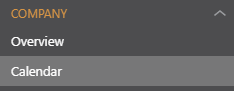
- Navigate to the Calendar via the Left Sidebar
- Select the Settings gear shift in the top right corner of the calendar

- This will open the Calendar Settings window

- This will open the Calendar Settings window
- Click on the Default Settings & Integration tab
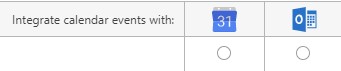
- Select the box for Outlook or Google for the desired project(s)
- Click Save
TIPS & TRICKS
Syncing Calendar Events will not sync the Gantt Schedule, it will only sync Events created on the Calendar. To send the Gantt Schedule, follow: Export Project Schedule to Google or Outlook Calendar.
HAVE MORE QUESTIONS?
- Frequently asked questions (FAQ) about Calendars can be found in the article FAQ: Calendars.
- If you need additional assistance, chat with a Specialist by clicking the orange Chat icon located in the bottom left corner or visit the UDA support page for additional options.