
The status of your QuickBooks integration can be viewed three different ways:
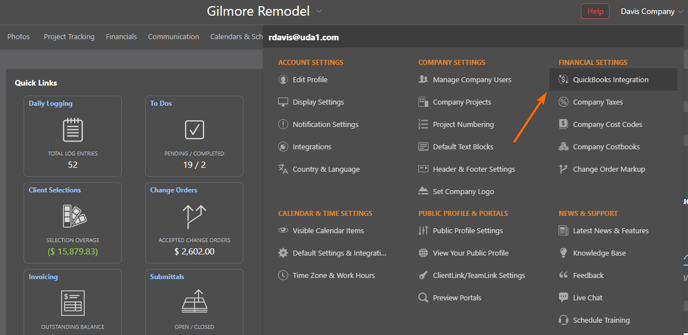
- From the Company Dropdown Menu: Locate the Company Dropdown Menu found in the top right corner of ConstructionOnline then choose the QuickBooks Integration option under the "Financial Settings" category.
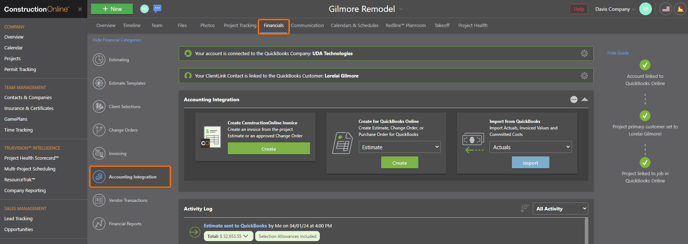
- From the Accounting Integration Category: Within the desired Project, click the Financials tab and then choose the "Accounting Integration" category.
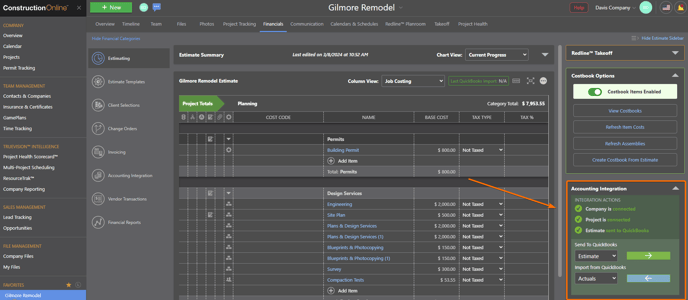
- In Your OnCost Estimate: The status of your QuickBooks integration can be viewed with the "Accounting Integration" section of the Estimate Sidebar.
HAVE MORE QUESTIONS?
- Frequently asked questions (FAQ) about ConstructionOnline's Accounting Integrations can be found in the article FAQ: Accounting Integrations.
- If you need additional assistance, chat with a Specialist by clicking the orange Chat icon located in the bottom left corner or visit the UDA Support Page for additional options.