
OBJECTIVE
To view a Contact's History in ConstructionOnline
BACKGROUND
Contacts within ConstructionOnline are referred to as Users, and are divided into five categories: Company Employees, TeamLink Users, ClientLink Users, Leads & Basic Users. A first name, last name, and email address are required information for adding a user.
STEPS TO VIEW USER HISTORY
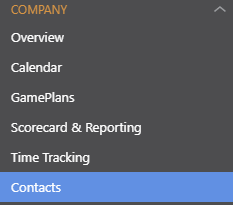
- Navigate to Contacts via the Left Sidebar
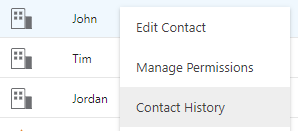
- Right-click on the desired Contact
- Select Contact History from the dropdown menu
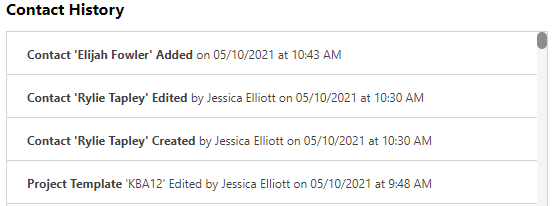
- This will open the Contact History window
HAVE MORE QUESTIONS?
- Frequently asked questions (FAQ) regarding Contacts can be found in the FAQ: Contacts article.
- If you need additional assistance, chat with a Specialist by clicking the orange Chat icon located in the bottom left corner or visit the UDA support page for additional options.