![CO_logo_square.svg]](https://help.constructiononline.com/hubfs/CO_logo_square.svg)
OBJECTIVE
To update existing Costbooks in ConstructionOnline.
BACKGROUND
ConstructionOnline's Items Database delivers a powerful, yet easy-to-use system for storing, tracking, and managing construction costs. By centralizing construction cost information in a single database, companies can streamline estimate creation, improve estimate accuracy, and apply estimate updates. With multi-level organization, ConstructionOnline's fully customizable Costbooks are flexible enough to support every company's cost structure.
THINGS TO CONSIDER
- Files must be saved in .CSV format for successful import into ConstructionOnline.
- Company Users must have permissions to add, edit, and delete Company Costbooks.
- Any Company User can access Company Costbook Items and insert them in an Estimate.
STEPS TO UPDATE AN EXISTING COSTBOOK
- Navigate to the Company Dropdown Menu at the top right corner of the page
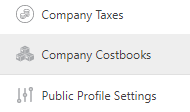
- Select Company Costbooks
- Hover over the Costbook you wish to update
- Click the gray 3-Dot Action Menu at the right


- Select Import Costbook

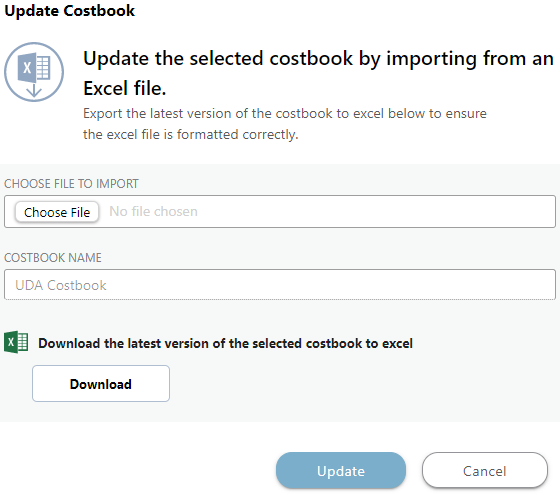
- This will open the Update Costbook window
- Choose the File to Import and select Update
HAVE MORE QUESTIONS?
- Frequently asked questions (FAQ) about Costbooks can be found in the article FAQ: Items Database & Costbooks.
- If you need additional assistance, chat with a Specialist by clicking the orange Chat icon located in the bottom left corner or visit the UDA Support Page for additional options.