
BACKGROUND
Have you forgotten your ConstructionOnline™ account password? No problem— it happens to everyone! Recovering your password is quick and easy with ConstructionOnline™.
STEPS TO RESET YOUR PASSWORD
ConstructionOnline™ provides two convenient ways that you can reset your password:
A. From the Login page:
- Go to the ConstructionOnline™ login page.
- Click the "Forgot Your Password?" hyperlinked text directly below the Password field.
- Enter the email address associated with your ConstructionOnline™ account.
- Click the green Recover button.
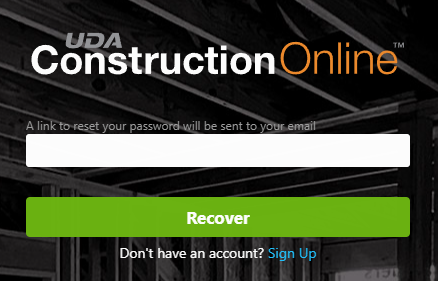
- Check your email inbox for a Password Recovery email.
- Open the email and click the blue "Reset Password" button.
- Enter and confirm your new password in the corresponding text fields.
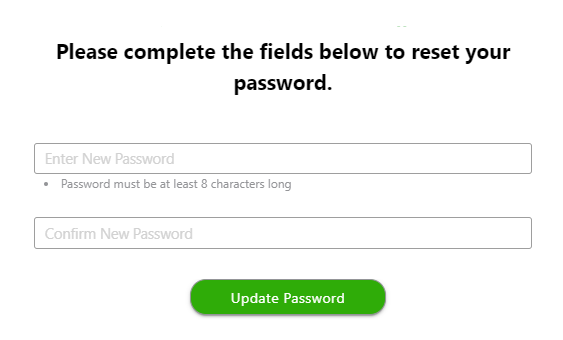
- Click the green "Update Password" button to save your new password.
B. From within your ConstructionOnline™ Account:
- Locate the Company Dropdown Menu in the top right corner of ConstructionOnline™.
- Under Account Settings, select Edit Profile.
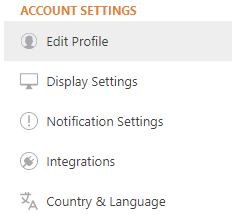
- Within the Profile Settings window, select the Password tab.
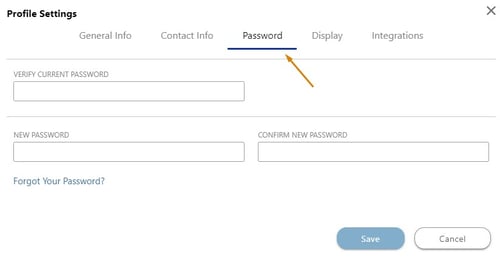
- Click "Forgot Your Password?" hyperlinked text directly below the Password field.
- Check your email inbox for a Password Recovery email.
- Open the email and click the blue "Reset Password" button.
- Enter and confirm your new password in the corresponding text fields.
- Click the green "Update Password" button to save your new password.
♦ Are you a ClientLink™ or TeamLink™ user? Learn how to recover your password in the Portal.
HAVE MORE QUESTIONS?
We're here to help! Chat with a Specialist by clicking the orange Chat icon in the bottom left corner or Contact UDA Support for additional options.