
OBJECTIVE
To lock Opportunity filters in ConstructionOnline.
STEPS TO LOCK OPPORTUNITY FILTERS
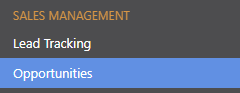
- Navigate to Opportunities via the Left Sidebar
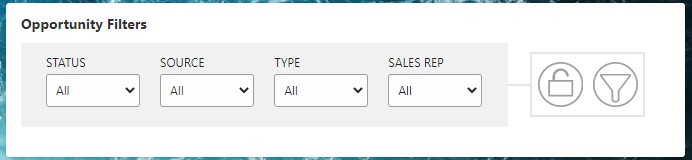
- Locate the Opportunity Filters pane
- Make a selection from the dropdown menu of each desired Filter
- Click the Unlock icon on the right to Lock the Filters
- The icon will turn blue and become Locked

- The icon will turn blue and become Locked
HAVE MORE QUESTIONS?
- Frequently asked questions (FAQ) about Opportunities can be found in the article FAQ: Opportunities.
- If you need additional assistance, chat with a Specialist by clicking the orange Chat icon located in the bottom left corner or visit the UDA Support Page for additional options.