
OBJECTIVE
To delete an Invoice in ConstructionOnline.
BACKGROUND
ConstructionOnline provides the most powerful cloud-based Estimating in the industry, giving users the ability to manage their Project Financials from Proposal generation through final Invoicing.
THINGS TO CONSIDER
- Company Users assigned to the Project must have permission to be able to create, edit, or delete an Invoice.
STEPS TO DELETE AN INVOICE
- Navigate to the desired Project via the Left Sidebar
- Select the Financials tab
- Choose the Invoicing category
- Click the Invoice # or Title of the Invoice you want to Edit
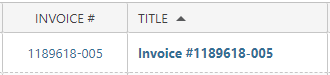
- This will open the Invoice Details pane
- Choose Delete Invoice

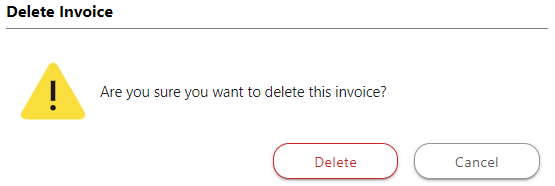
- This will open the Delete Invoice window
- Click Delete
HAVE MORE QUESTIONS?
- Frequently asked questions (FAQ) about Invoicing can be found in the article FAQ: Invoicing.
- If you need additional assistance, chat with a Specialist by clicking the orange Chat icon located in the bottom left corner or visit the UDA support page for additional options.