
OBJECTIVE
To delete a Lead Event in ConstructionOnline.
BACKGROUND
Lead Event allow you to schedule and document Callbacks and Meetings with your Leads. If you need to delete a previously scheduled Lead Event, you can do it in a few simple steps.
THINGS TO CONSIDER
- Lead Events are stored independently in Lead Tracking, but are also visible on the Company Calendar.
- Lead Events do not have automatic notifications associated with them – set Reminders to receive notifications of Lead Events.
STEPS TO DELETE A LEAD EVENT
- Navigate to Lead Tracking via the Left Sidebar

- Select the Lead Calendar category

- Click on the desired Lead Event
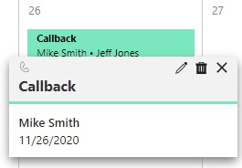
- Choose the trash icon in the top right to delete
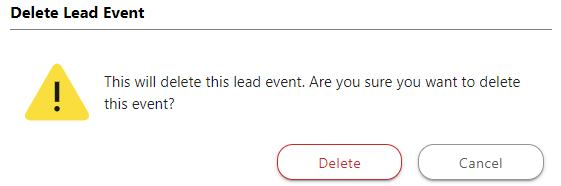
- This will open the Delete Lead Event window
- Click Delete
HAVE MORE QUESTIONS?
- Frequently asked questions (FAQ) about Leads & Lead Tracking can be found in the article FAQ: Lead Tracking.
- If you need additional assistance, chat with a Specialist by clicking the orange Chat icon located in the bottom left corner or visit the UDA Support Page for additional options.