
OBJECTIVE
To create a Lead Tracking Report in ConstructionOnline
BACKGROUND
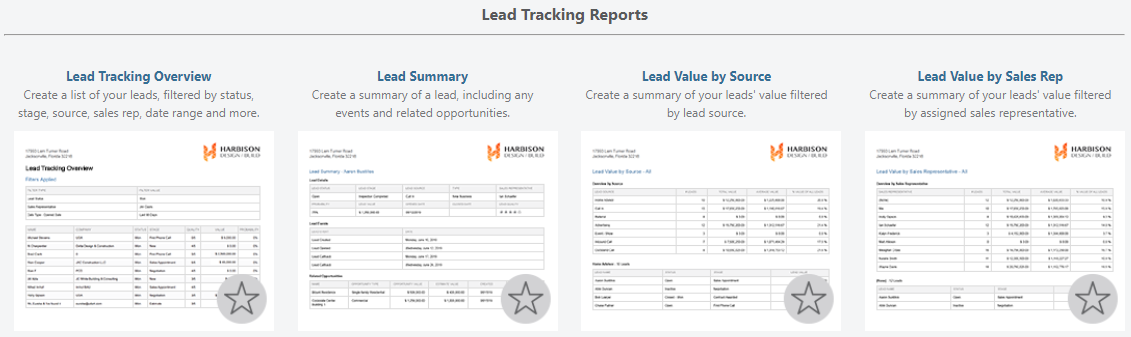
Generate a Lead Tracking Report to analyze and share important information about your Leads, Sales Reps, and more. ConstructionOnline offers four Lead Tracking Reports: Lead Tracking Overview, Lead Summary, Lead Value by Source, & Lead Value by Sales Rep. Depending on the Report you create, different information will be available to include on the Report.
STEPS TO CREATE A LEAD TRACKING REPORT
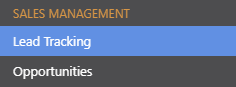
- Navigate to Lead Tracking via the Left Sidebar
- Select the Reports category

- Hover over the desired Lead Tracking Report & click Create
- A Report window will open
- Select the level of detail to include on the Report
- Click Create
- The Report will open in a new tab
- Share, Save, Download, Edit, or Print the Report from this tab

TIPS & TRICKS
- You can generate these reports by also navigating to Scorecard & Reporting via the Left Sidebar and choosing Sales Reports.
HAVE MORE QUESTIONS?
- Frequently asked questions (FAQ) about Leads & Lead Tracking can be found in the article FAQ: Lead Tracking.
- If you need additional assistance, chat with a Specialist by clicking the orange Chat icon located in the bottom left corner or visit the UDA Support Page for additional options.