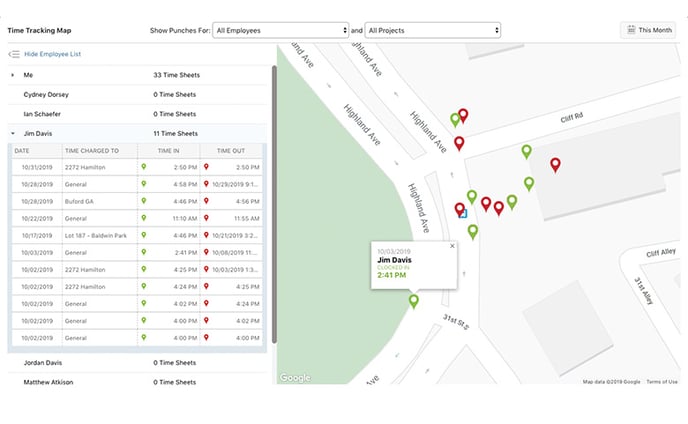
Yes! You can view the location where your Company Employees clock in/out in ConstructionOnline by navigating to Time Tracking and selecting the Time Tracking Map category. This will show you a list view and map view, powered by Google Maps, of the locations your employees clock in and out. Both the list and map views can be filtered by Employee and/or Project.
Step-by-step instructions for viewing ConstructionOnline's Time Tracking Map can be found here. Please note that only ConstructionOnline Company Admin can view where all Company Employees have clocked in/out. Company Employees can only view the locations they have clocked in/out. If you are unable to see the location where your employees clocked in/out, visit this FAQ.