
OBJECTIVE
To remove Albums or Folders, as well as Individual Files or Images, from the Portal
BACKGROUND
Construction projects can change on a daily basis. If for some reason you need to remove something you previously shared to the Portal, we’ve got you covered!
STEPS TO REMOVE ALBUMS/FOLDERS FROM THE PORTAL
- Navigate to the desired Project via the Left Sidebar
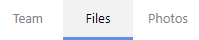
- Select the Files tab
-
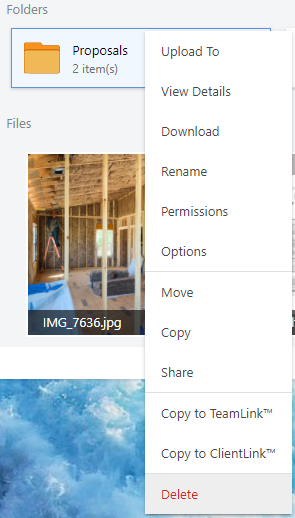
Right-click on the desired Album/Folder, or Individual File/Image
- Select Delete from the dropdown menu
HAVE MORE QUESTIONS?
- Frequently asked questions (FAQ) about Files & Photos can be found in the article FAQ: Files & Photos.
- If you need additional assistance, chat with a Specialist by clicking the orange Chat icon located in the bottom left corner or visit the UDA support page for additional options.