
OBJECTIVE
To edit an Estimate Template in ConstructionOnline
BACKGROUND
ConstructionOnline provides the most powerful cloud-based estimating in the industry, giving users the ability to manage their project financials from proposal generation through final invoicing.
STEPS TO EDIT AN ESTIMATE TEMPLATE
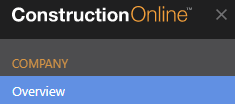
- Navigate to Company Overview via the Left Sidebar
- Select the Financials tab

- Choose the Estimate Templates category

- Right-click on the desired Estimate Template
- Select Manage Template Contents from the dropdown menu

- This will open the Estimate Template
- Make desired changes
- Changes are automatically saved
HAVE MORE QUESTIONS?
- Frequently asked questions (FAQ) regarding OnCost Estimating can be found in the FAQ: Estimating article.
- If you need additional assistance, chat with a Specialist by clicking the orange Chat icon located in the bottom left corner or visit the UDA support page for additional options.