
OBJECTIVE
To create a Purchase Order in ConstructionOnline
BACKGROUND
ConstructionOnline provides the most powerful cloud-based estimating in the industry, giving users the ability to manage their project financials from proposal generation through final invoicing.
STEPS TO CREATE A PURCHASE ORDER
- Navigate to the desired Project via the Left Sidebar
- Select the Financials tab
- Choose the Financial Reports category
- Hover over the Purchase Order & click Create
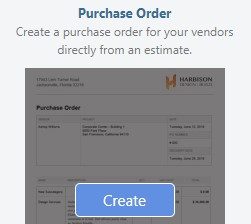
- This will open the Purchase Order window
- Select the level of detail to include on the Report
- Click Create
- The Report will open in a new tab
- You can Share, Save, Download, Edit, or Print the Report from this tab

ALTERNATIVE ACCESS POINT
- Purchase Orders can also be created from the Estimating Toolbar within OnCost™ Estimating by using the following steps:
- Navigate to the desired Project via the Left Sidebar.
- Click the Financials tab which will automatically open the Estimating category.
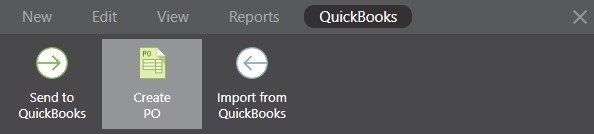
- Within the desired Estimate, open the Estimating Toolbar by clicking the brick icon at the top right of the Estimate

- Choose the Quickbooks tab and click the "Create PO" option.
HAVE MORE QUESTIONS?
We're here to help! Chat with a Specialist by clicking the orange Chat icon in the bottom left corner or Contact UDA Support for additional options.