
OBJECTIVE
To Clock-In using the ConstructionOnline Mobile App
STEPS TO CLOCK IN USING THE MOBILE APP
- Open the ConstructionOnline Mobile App
- Select Time Tracking located in Tools
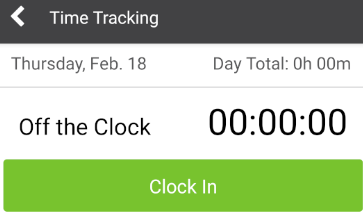
- Click the green Clock In button
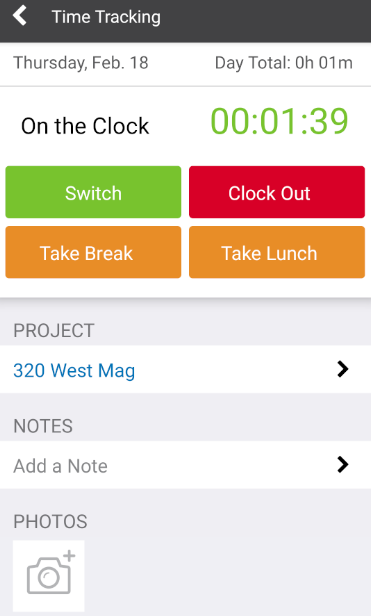
- Select the Project to clock in to
- This will automatically clock you in to the Project
- Add any Notes or Photos (optional)
-
Enable Geolocation Settings to receive automatic clock-in/out notifications based on your proximity to the jobsite.
HAVE MORE QUESTIONS?
We're here to help! Chat with a Specialist by clicking the orange Chat icon in the bottom left corner or Contact UDA Support for additional options.